100% free · Windows desktop · v2.0.7

All your chats.
Every account. One app.

MultiXTS runs WhatsApp, Telegram, Discord, Messenger, Gmail and 20+ other apps in one window — and lets you stay logged into two WhatsApp numbers at once, each in its own private session.

Free forever · v2.0.7 · unlimited accounts
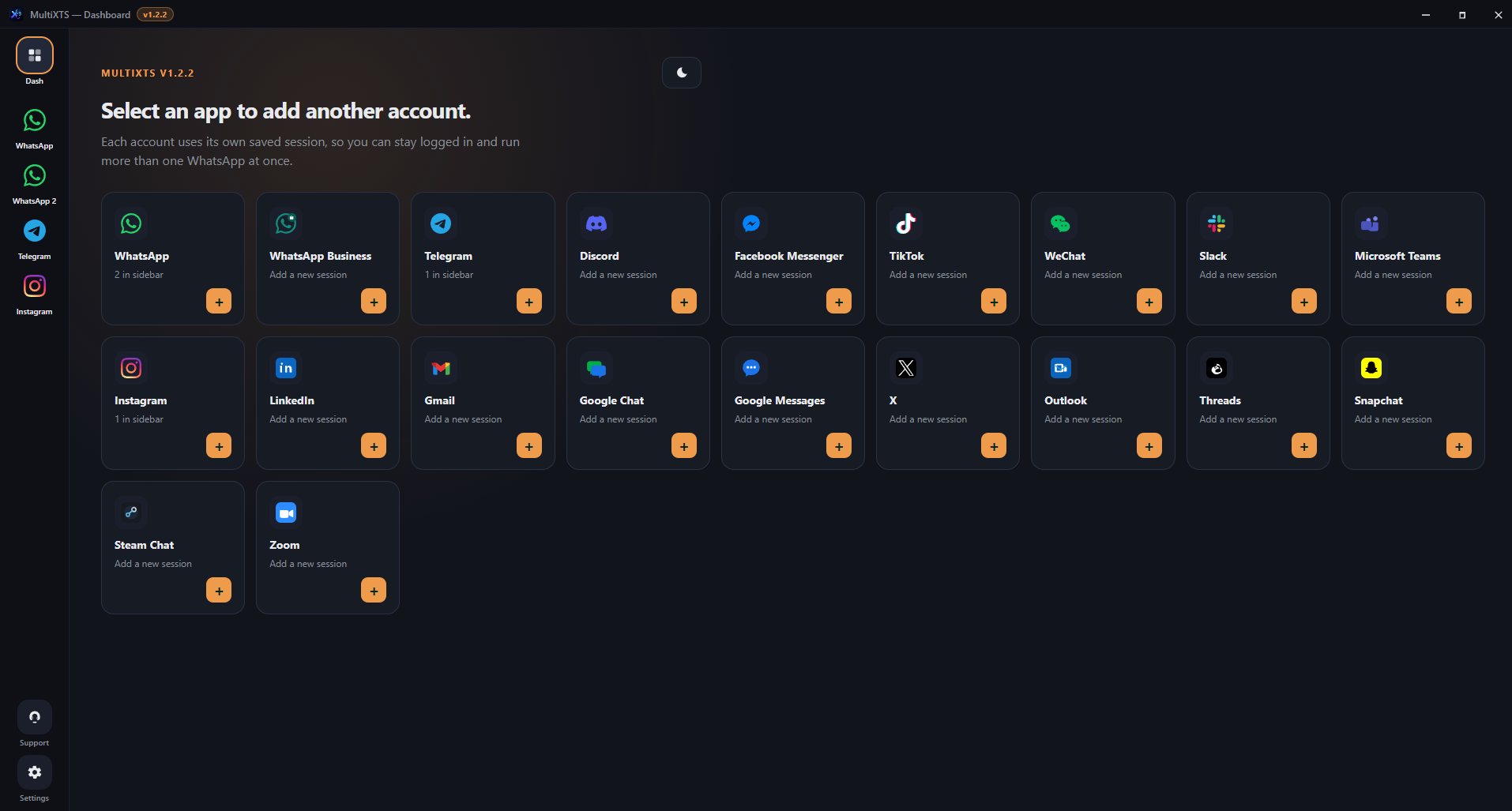
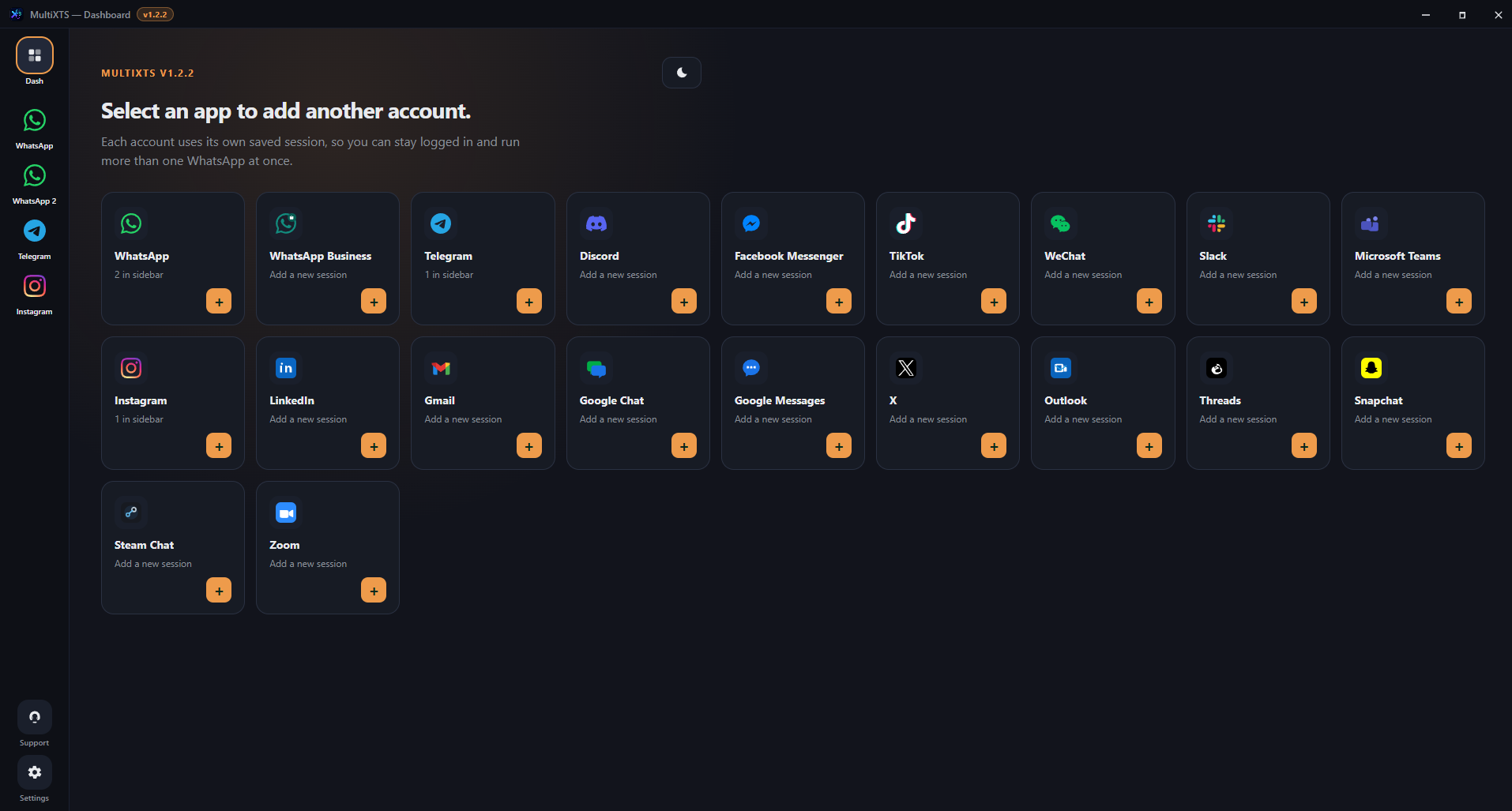
MultiXTS dashboard — select an app to add another account
Works with WhatsApp Telegram Discord Messenger Instagram Gmail Outlook X + more
Why MultiXTS

Built for people juggling many accounts

One clean window instead of ten browser tabs and phones — with everything remembered between restarts.

Dual WhatsApp

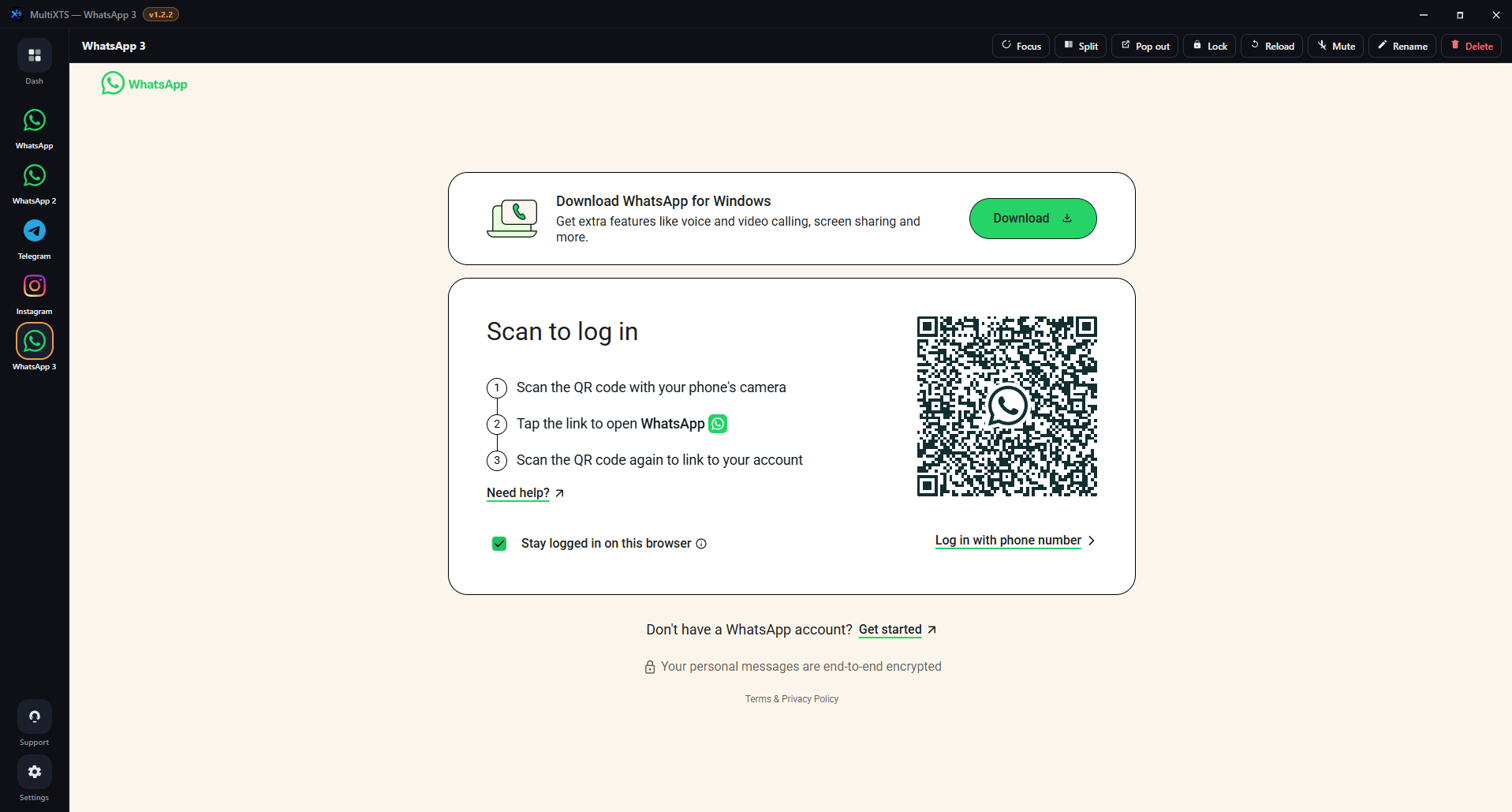
Run two (or more) WhatsApp numbers side by side. Each is its own saved session with its own QR login.

All messengers, one place

WhatsApp, Telegram, Discord, Gmail, Outlook, Instagram, X, Snapchat, Zoom and more — switch with one click from the sidebar.

Stay logged in forever

Sessions are saved to disk. You won't re-scan a QR code every time — just open and keep chatting.

PIN lock & privacy

Lock the window with a PIN when you step away. Hide message previews. Your chats stay yours.

Split view & Focus

See two accounts side by side, and mute everything with one Focus toggle when you need to concentrate.

Add any custom app

Not in the list? Add any web app by name and URL — it gets its own isolated session too.
A look inside

Clean, fast, and yours to customize

MultiXTS app pickerAdd another account
Dual WhatsApp login inside MultiXTSDual WhatsApp login
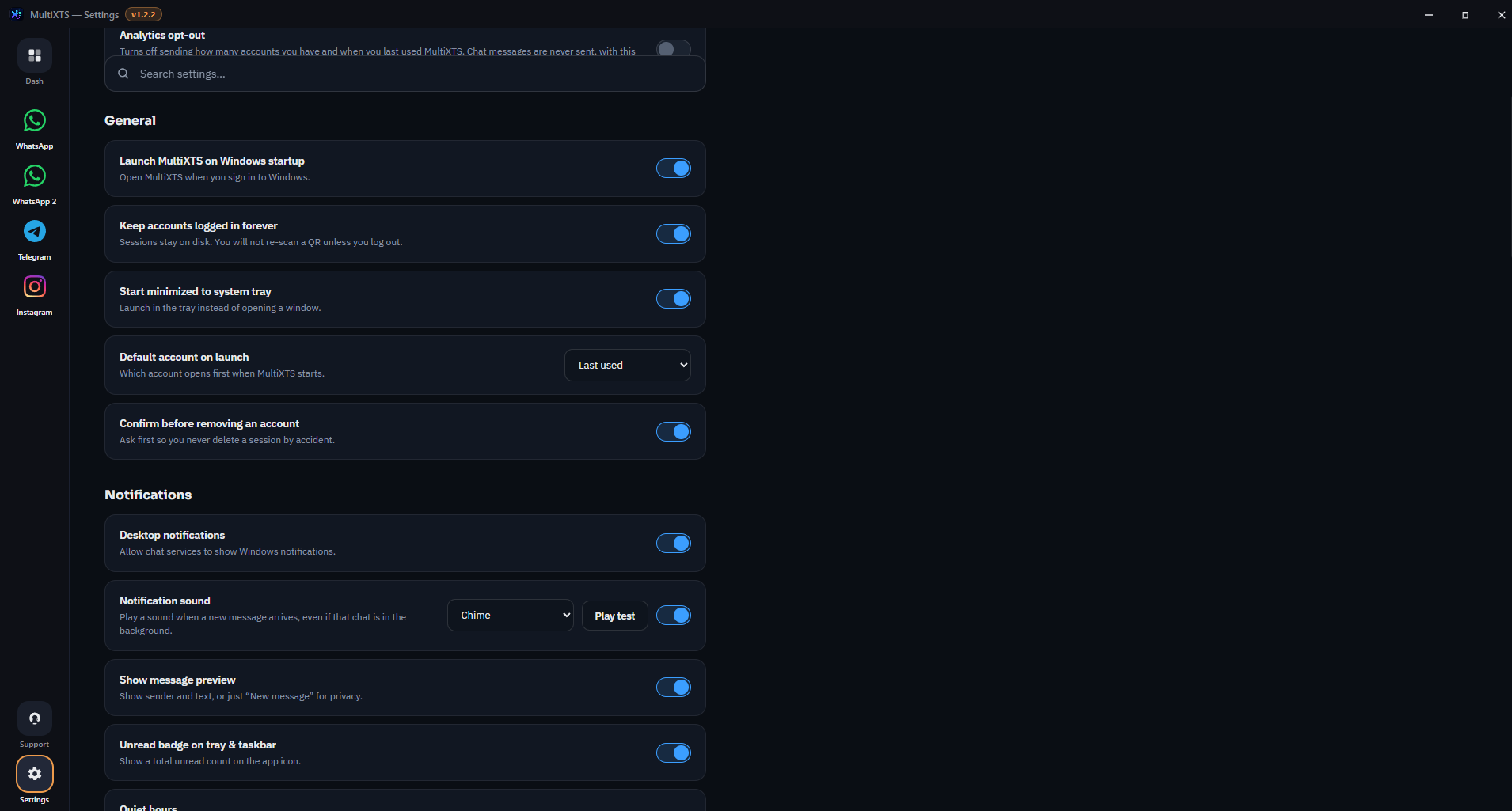
MultiXTS settingsDeep settings
Pricing

Completely free.

No trial, no subscription, no credit card. Download MultiXTS and use everything, forever.

$0
Free forever · for everyone
  • Unlimited accounts
  • All supported apps
  • Stay logged in forever
  • Split view & Focus mode
  • PIN lock & themes
  • Free updates
Get MultiXTS

Ready in under a minute

Install from our site or the Microsoft Store. Scan your first QR, then add more accounts. Free forever.

Windows installer

Direct .exe for Windows 10 and 11. Opens after setup. v2.0.7.

Download MultiXTS 2.0.7

Microsoft Store

Install from the Store. Updates come through Microsoft automatically.

Open Microsoft Store

New in 2.0.7 · Several WhatsApp accounts stay signed in when you switch.